How Do I Add Email List?
Posted on 2024-02-29 Updated on 2024-03-04To add a new list, Follow the steps below:
1. Sign in to the ForceMailer Dashboard (if you haven't already done so).
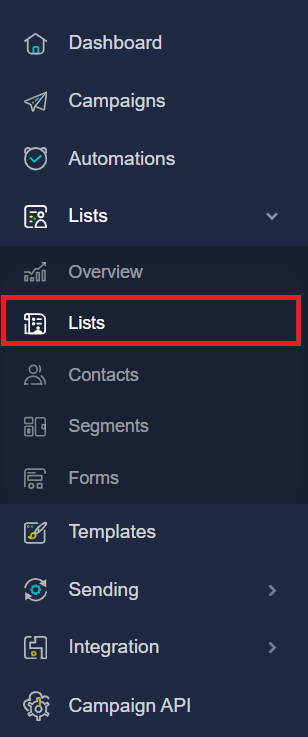
2. In the left-hand navigation dashboard, click on the Lists > Lists.
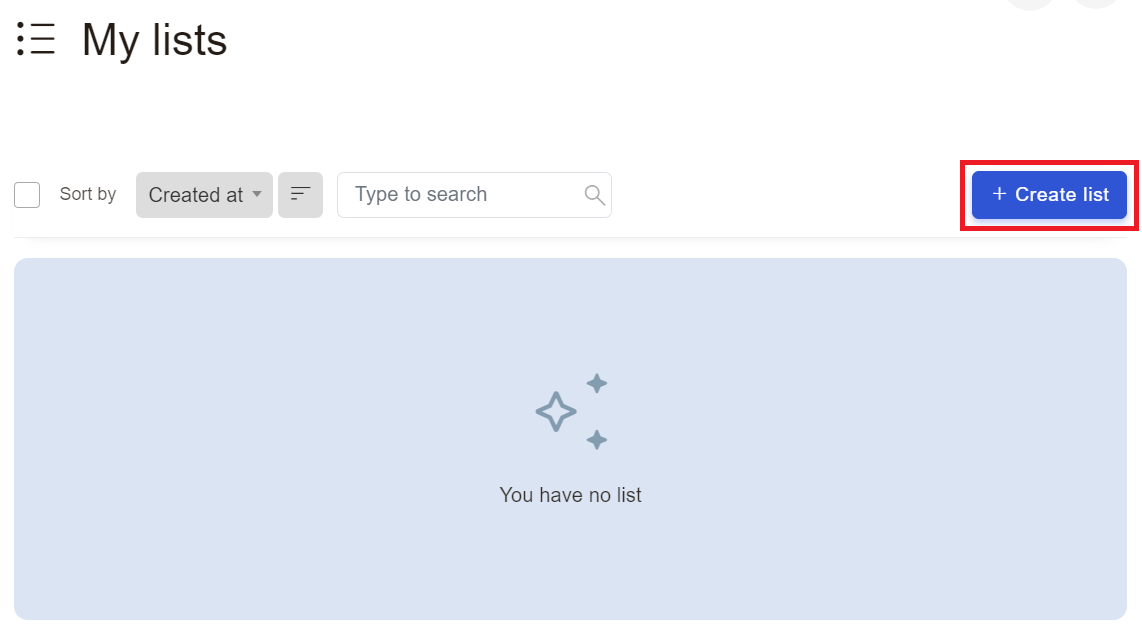
3. Next, Click Create Lists button:
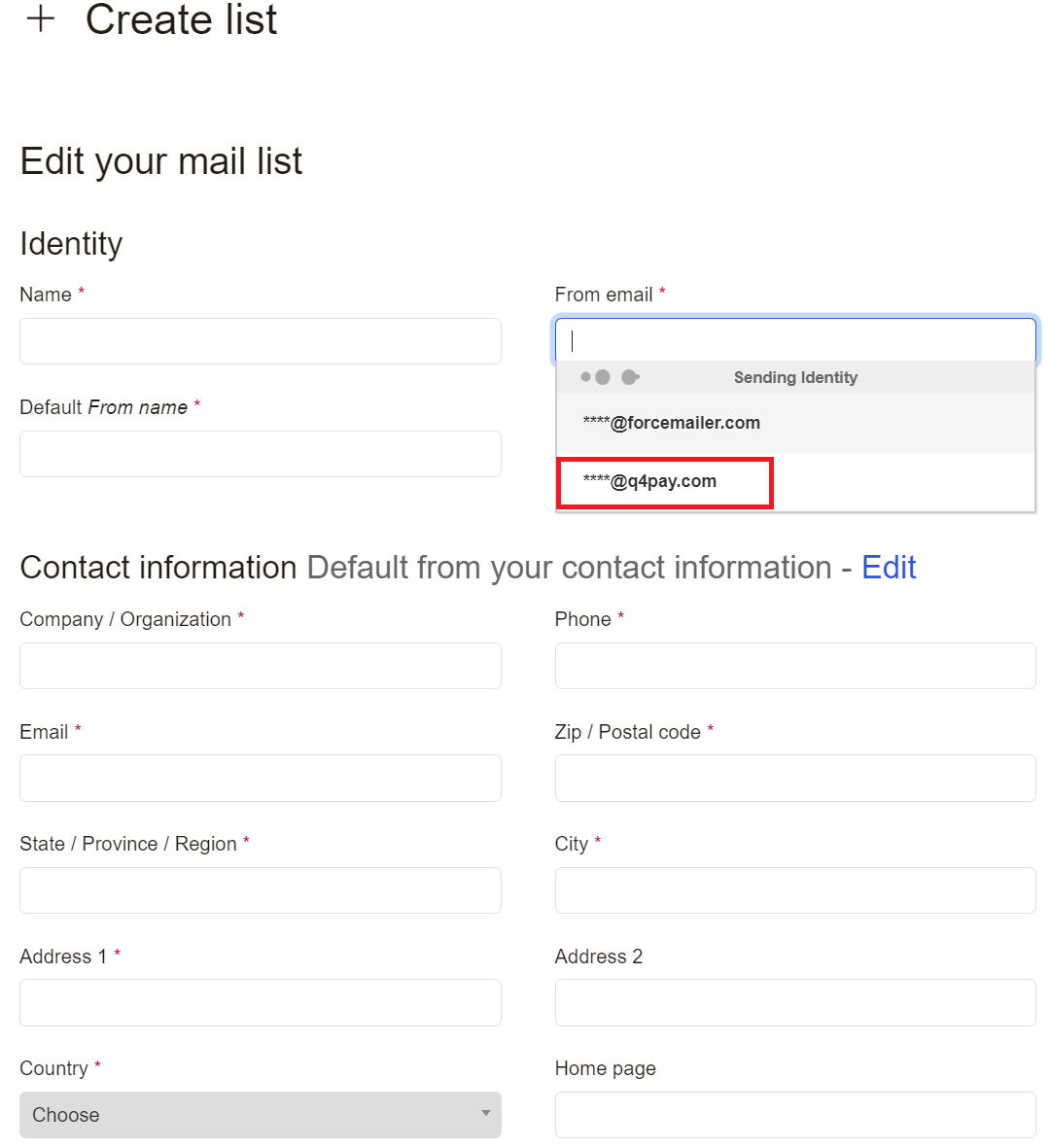
5. Select the From email. (If you have not added any domain and verified it (DKIM verification), you will only see the domain *@forcemailer.com. In this case you can only send emails to an address *@forcemailer.com. If you want to send emails using your domain name, you must add it and validate it in the Sending > Sending domains menu) and fill all required fields and click Save Button.
Found this article helpful?
[ 34 Out of 67 Found Helpful ]