How to download my invoices?
Posted on 2024-02-28 Updated on 2024-03-02To download your invoices:
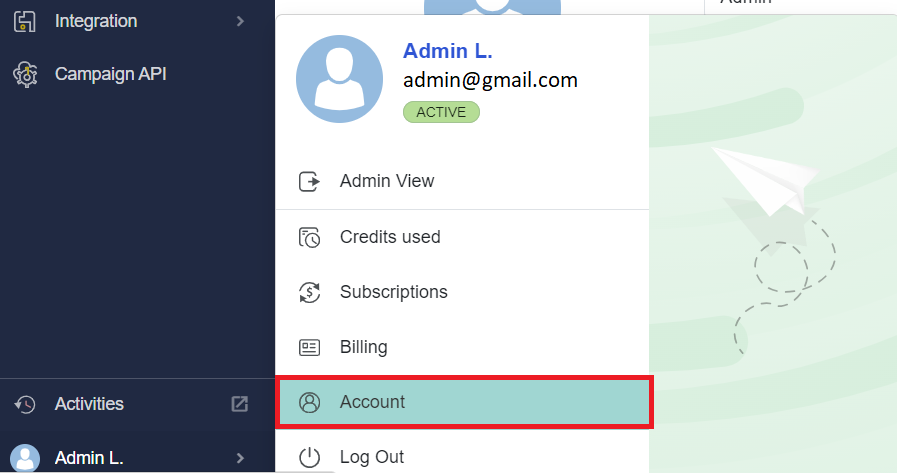
1. In the bottom-left corner of the ForceMailer Dashboard, click your Account Menu.
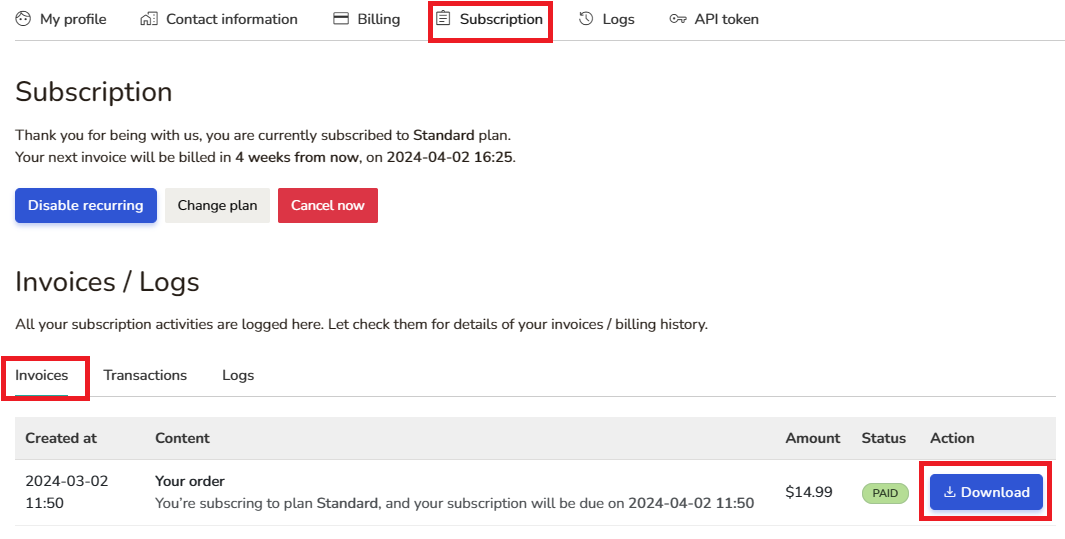
2. Next, click Subscription Menu, and click Download button in the invoces list.
Found this article helpful?
[ 36 Out of 72 Found Helpful ]